Table of Contents

Taking the Stress Check
Access the URL provided in the stress check invitation email.
Please read the Terms of Use carefully. If you agree, check the "Agree to the handling of personal information" box, and click the "Take Stress Check" button. The test page will be displayed, and you can proceed to answer the questions.
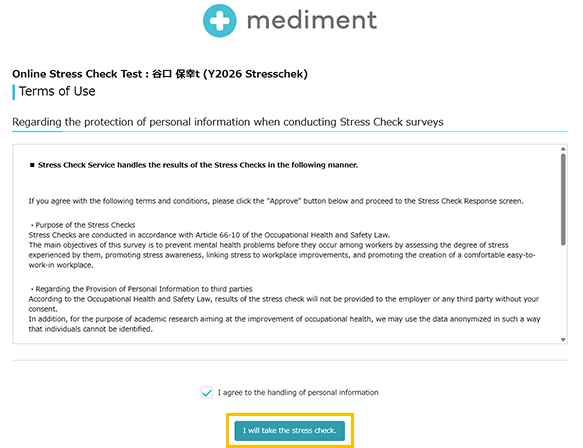
Actual Test Screen
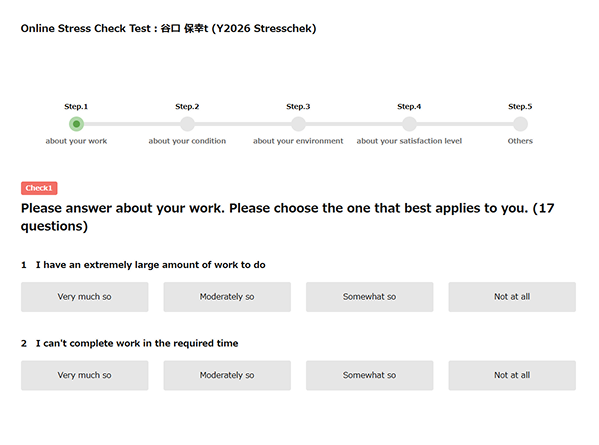
After answering the last question, click the "Submit" button, and your results will be displayed immediately for your review.
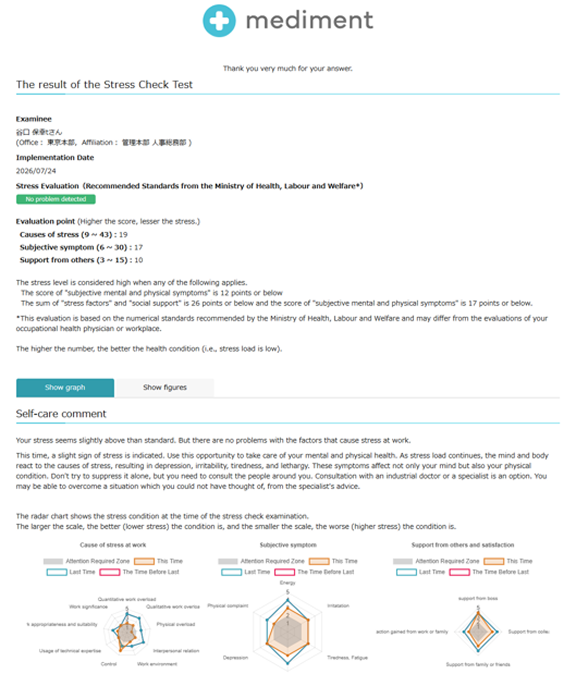
*Note: Once you close the results screen, you will no longer be able to check them even if you access the URL in the test invitation email.
To check your results again, please refer to the method below.
Regarding Request for Industrial Physician Interview
Only those evaluated as having high stress from the stress check results will see a button on the results screen allowing them to submit a request for an industrial physician interview.
If you wish to request an interview, check the box for "Yes, I request an interview with an industrial physician" and click "Submit."
Please note that the above action can only be completed on the results screen immediately after taking the test.
Checking Stress Check Test Results
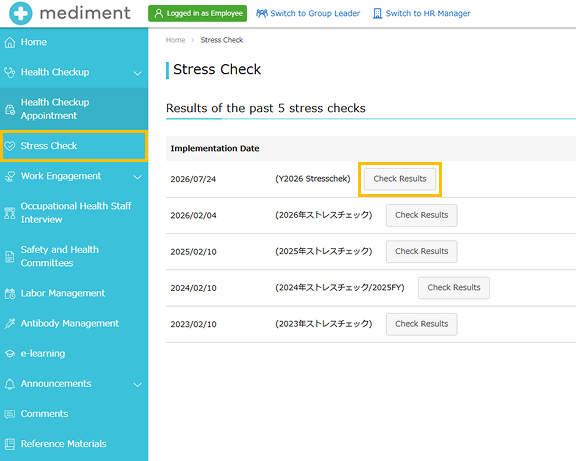
Log in to mediment, go to Menu > Stress Check, and you can review the history of the stress checks you have taken.
Click on the [Test Results] button for the date and time you want to review to see the detailed results.
この記事は役に立ちましたか?
それは素晴らしい!
フィードバックありがとうございます
お役に立てず申し訳ございません!
フィードバックありがとうございます
フィードバックを送信しました
記事の改善におけるご協力ありがとうございます。