Table of Contents
Health Checkup Results Printing Feature

Health Checkup Results Printing Feature
This feature allows you to print health checkup results (General Periodic Health Checkup, Health Checkup for Users Engaged in Specified Work, and Employment Pre-employment Health Checkup).
*Please note that results for Special Health Checkups cannot be printed.
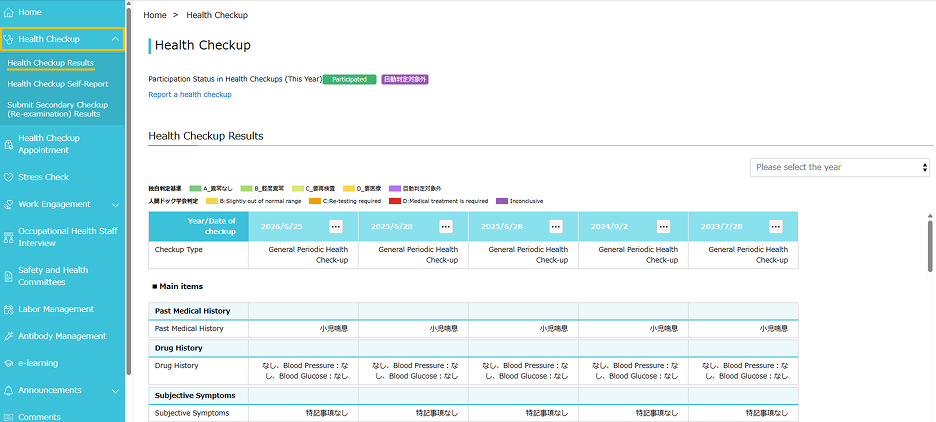
1. Select a Menu
From the left menu, select "Health Checkup" > "Health Checkup Results".
2. Print Health Checkup Results
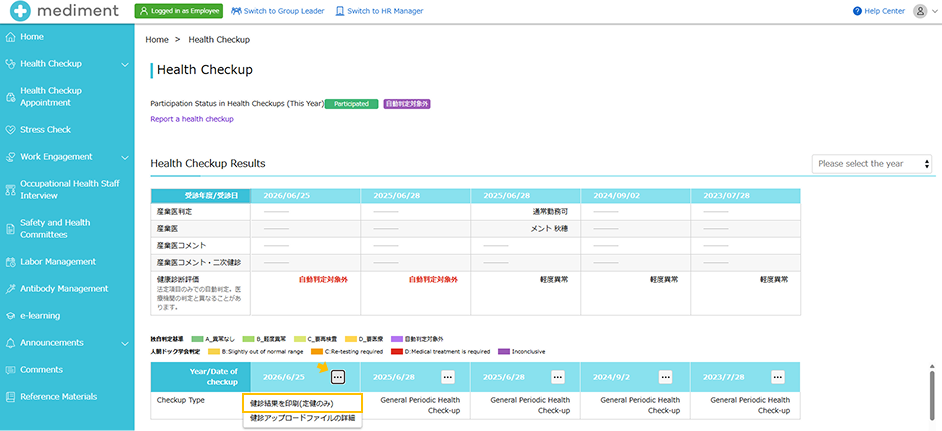
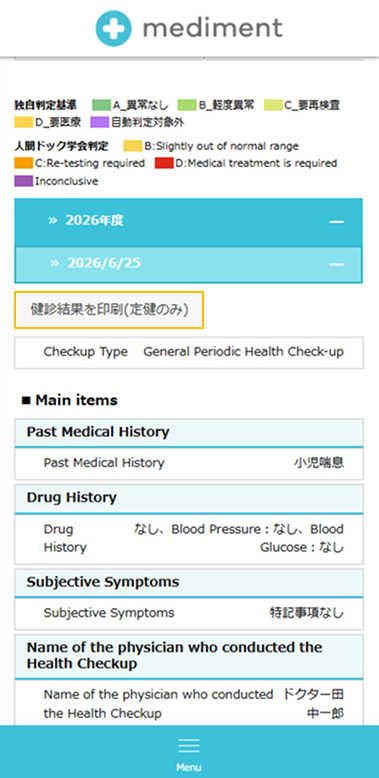
From your health checkup results, click the three-dot icon next to the "Checkup Fiscal Year / Checkup Date" of the results you wish to print, and select "Print Health Checkup Results (Periodic only)" from the menu.
[Desktop PC Screen Display]
[Smartphone Screen Display]
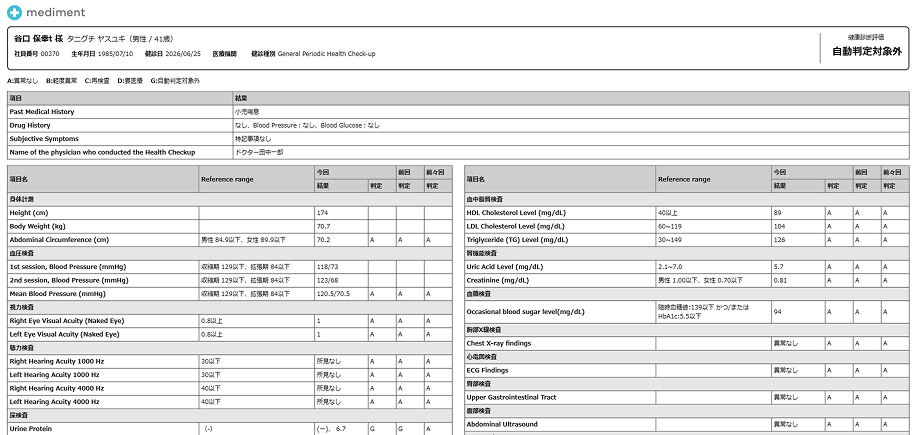
The page for printing health checkup results will open in a separate tab. Right-click on this page and select "Print" from the right-click menu to print.
*For smartphones, please print using the printing method designated for your device.
この記事は役に立ちましたか?
それは素晴らしい!
フィードバックありがとうございます
お役に立てず申し訳ございません!
フィードバックありがとうございます
フィードバックを送信しました
記事の改善におけるご協力ありがとうございます。